
How Mobile Attendance Makes Life Easier for School Staff with School ERP APP
Simplify school staff attendance with selfie and GPS verification. Prevent proxy check-ins and access secure, accurate, real-time attendance records.
#school management software #smart attendance #school ERP
04 Aug, 2026The morning rush of teachers waiting in line to sign their attendance in the register that is in the principal’s office. Running a school is hard enough without outdated attendance systems slowing down your staff and creating unnecessary extra work.
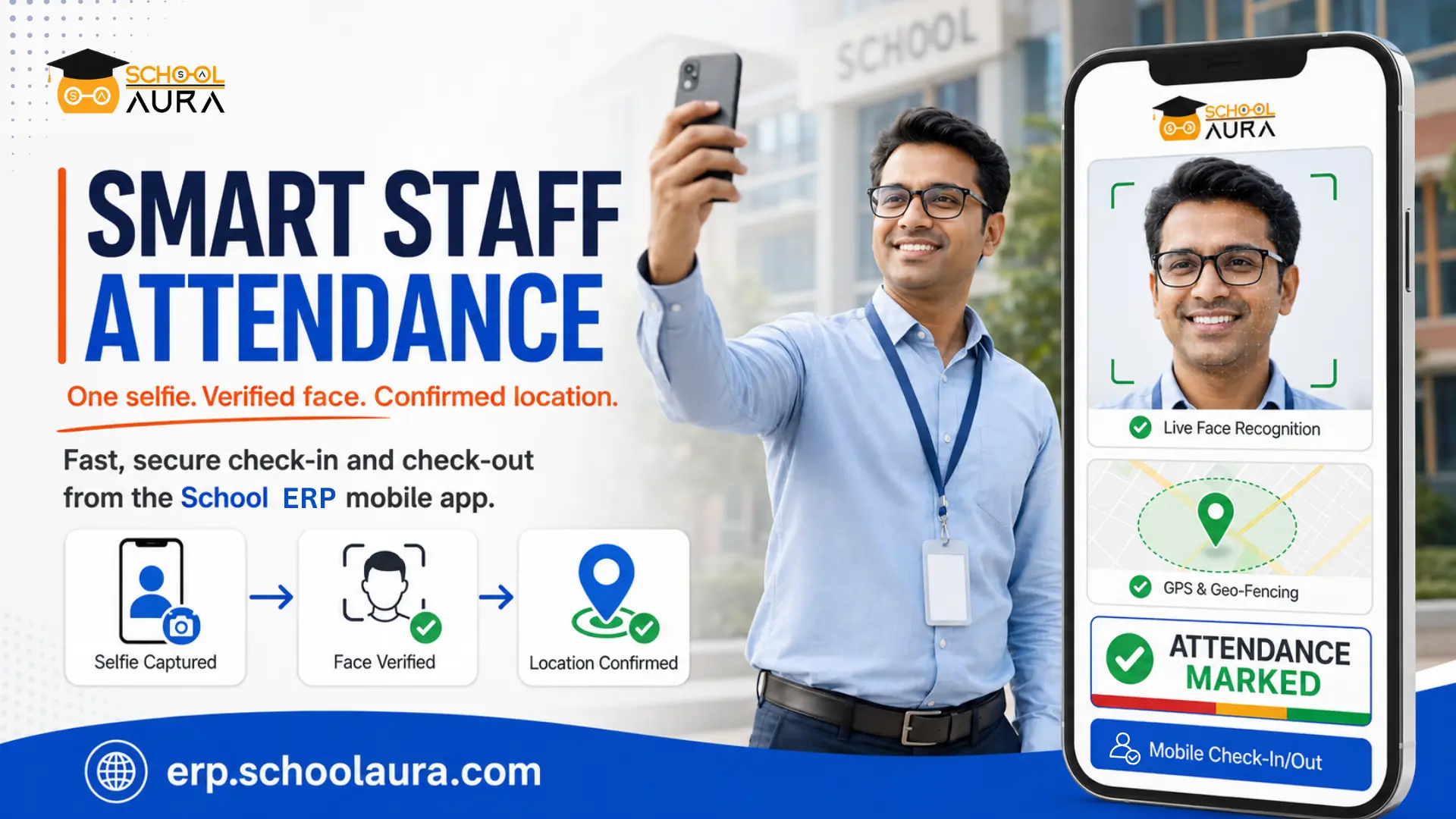
That’s why schools are now upgrading to a much smarter, completely contactless solution, tracking staff attendance directly through their school management mobile app using just a selfie and GPS.
The process is seamless:
-> A staff member arrives at the school
-> Opens the school ERP app, and
-> Snaps a quick live photo of themself
The software instantly verifies their face and checks their phone’s location to confirm they are actually on school grounds. It takes just two seconds to clock in, eliminating morning queues, stopping “buddy punching” in its tracks, and giving administrators perfectly accurate, real-time records.
What is a Selfie and Location-Based Attendance System?
A selfie and location-based attendance system is an advanced, two-step time-tracking technology that first verifies a user’s identity through facial recognition, and then immediately confirms their physical whereabouts.
The process begins when a registered user (like a teacher or staff member) takes a live photo - a selfie - using their mobile app to initiate a check-in or check-out. The system uses facial recognition to instantly match the live photo against the user’s registered profile, effectively eliminating “buddy punching” (having someone else check-in for you).
Immediately following the facial verification, the system uses the GPS of the user’s mobile phone to capture the device’s coordinates. This second step confirms that the authenticated user is actually physically present at the location, such as a campus or office building.
By combining biometric facial verification with precise location data, the system completely removes the need for manual roll calls, shared fingerprint scanners, or physical ID cards, providing administrators with highly accurate, real-time attendance records.
How Does It Work?
Here is a step-by-step breakdown of how the Selfie and Location-Based Attendance school ERP functions:
Step 1 - Mobile App Installation: Students, teachers, and staff members download and install the school management software app on their personal smartphones.
Step 2 - Identity Verification (The Selfie): To initiate a check-in or check-out, the user opens the app and takes a live photo. The system uses instant facial recognition to authenticate their identity and prevent proxy attendance.
Step 3 - Real-Time Location Detection: Immediately following the selfie, the app captures the device’s GPS coordinates to confirm that the user is physically present on the institution’s premises.
Step 4 - Automated Attendance Logging: Once both the user’s identity and location are successfully verified, the software automatically records the precise timestamp of the entry, requiring no further manual intervention.
Step 5 - Live Reporting: This data is instantly synced with the school management software and also can be seen in the dashboard, giving admin and academic teams access to real-time tracking, reporting, and precise analytics.
The Result: This smart, two-step integration provides a seamless, secure, and completely error-free attendance management experience for the entire institution.
Conclusion
Ultimately, a great school runs on trust, transparency, and accountability. But maintaining those values shouldn’t rely on easily misplaced registers or logs that leave room for doubt between the school and their staff and erode that trust.
By shifting to a selfie and location-based school management software app, you establish a fair, totally objective system for everyone. Your staff gets a friction-free morning routine, and school leaders get ironclad, real-time data they can actually rely on. It’s a win-win for everybody and also builds accountability without making your staff feel they are constantly being micromanaged.
Frequently Asked Questions
1. Does the app track staff location all day after they clock in?
No, it doesn’t. The app only accesses GPS coordinates for the few seconds it takes to process the check-in or check-out. Once the attendance is logged, the location tracking immediately stops. It respects staff privacy and does not monitor their movements throughout the day or off-duty.
2. Do staff members need the latest, high-end smartphones to use this feature?
Not at all. The school management app is designed to be lightweight and accessible. It works seamlessly on almost all standard iOS and Android devices. As long as the staff member’s phone has a functional front-facing camera and basic GPS capabilities, they can easily log their attendance without needing an expensive or brand-new device.
3. How does this connect with staff payroll and leave management?
Because the selfie attendance feature is built directly into the school management software, the data automatically syncs with your payroll module. Whenever a staff member clocks in late, leaves early, or takes a day off, the system updates their timesheet in real time. This means at the end of the month, payroll calculations are automated, eliminating the need for administrative staff to manually look through their attendance logs during the salary payouts.