
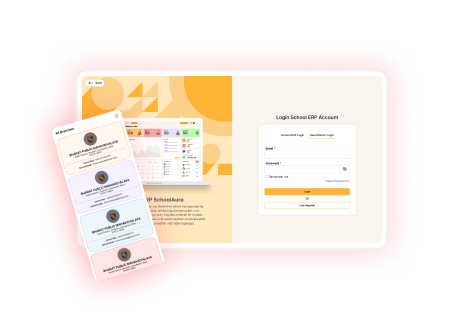
Multi-Branch School Management Software
Manage all your school branches from one account with ERP SchoolAura. Add branches, keep records separate and get a clear view of every campus.
Running more than one campus usually means running more than one system. Each branch keeps its own records, reports arrive in different formats, and the management office spends its time collecting numbers instead of using them.
ERP SchoolAura Multi-Branch Management keeps every branch on the same system while keeping their records separate, so each campus works independently and the management sees everything from one place.
What Is Multi-Branch Management Software?
Multi-branch management lets a school group run all of its campuses on one ERP account. Every branch keeps its own students, staff, fees and daily records, while the management can add branches and review them from a single login.
Key Features of ERP SchoolAura Multi-Branch Management
Add & Manage Branches
Every campus set up in minutes
- Add a new branch with its location and contact details
- Record the onboarding date of each branch
- Keep branch email and phone number up to date
- Update or remove a branch whenever needed
Separate Records for Each Branch
Independent campuses, one system
- Each branch keeps its own students and staff
- Fees, attendance and reports stay branch wise
- No mixing of data between campuses
- Branch staff work only within their own branch
Central View for Management
The whole group at a glance
- See the list of all branches in one place
- Check the total students at each branch
- Compare campuses without collecting files
- One login for the entire school group
Offline vs ERP SchoolAura Multi-Branch Management
| Offline Multi-Branch Management | ERP SchoolAura Multi-Branch Management |
|---|---|
| Separate software for each campus | One system for the entire group |
| Reports collected by email | Branch wise records always available |
| Different processes at each branch | Same process across every campus |
| No quick comparison between branches | Clear view of all branches together |
| Adding a campus means starting over | A new branch is added in minutes |
Why Choose ERP SchoolAura for Multi-Branch Management
One system for the group
Every campus works the same way on the same platform.
Records stay separate
Each branch keeps its own data with no overlap.
Central visibility
Management reviews every campus from a single login.
Easy to grow
Adding a new campus takes minutes, not months.
Consistent quality
Every branch follows the same processes and standards.
Transform Your School with Smarter Multi-Branch Management
A growing school group should not grow more complicated. ERP SchoolAura keeps every branch independent in its daily work and united in one system, so expansion never means losing control.
FAQs
No. Each branch keeps its own students, staff and records separately.
Yes. The management can view the list of branches and switch between them from one account.
A new branch can be added in minutes with its location, contact details and onboarding date.
Access is controlled through role management, so staff see only what they are permitted to see.